










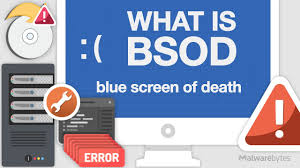
Understanding the Blue Screen of Death (BSOD)
What is the Blue Screen of Death?
The Blue Screen of Death (BSOD) is a critical error screen displayed by the Windows operating system upon encountering a system crash. This error screen signals that the system has encountered a problem from which it cannot recover. It is often accompanied by a blue background with error codes and system information, providing users with an indication of the problem’s nature. The BSOD is a safety feature designed to prevent further damage to the system and ensure data integrity.
Causes of the Blue Screen of Death
The Blue Screen of Death can be triggered by various issues, including hardware failures, driver conflicts, or software bugs. Common causes include defective RAM, overheating of the CPU, or corrupt system files. Driver issues, where outdated or incompatible drivers interact poorly with the operating system, are also a frequent cause. Additionally, malware infections and improper software installations can lead to system crashes and BSOD occurrences.
How to Troubleshoot the Blue Screen of Death
To troubleshoot the Blue Screen of Death, users should first note the error code displayed on the screen, as it provides valuable clues about the underlying issue. Running hardware diagnostics can help identify defective components, while updating drivers and operating system patches can resolve conflicts and bugs. In some cases, performing a system restore or reinstalling Windows may be necessary to address persistent BSOD problems. Regular maintenance, including checking for system updates and running antivirus scans, can help prevent future occurrences.
Preventive Measures to Avoid BSOD
Preventing the Blue Screen of Death involves proactive measures to maintain system health. Regularly updating drivers and the operating system ensures compatibility and addresses known issues. Monitoring hardware temperatures and ensuring proper cooling can prevent overheating-related crashes. Additionally, using reliable antivirus software to protect against malware and performing routine system maintenance can mitigate risks. By following these practices, users can reduce the likelihood of encountering the BSOD.

Why This News is Important
Significance of the Blue Screen of Death
The Blue Screen of Death (BSOD) is a critical issue for Windows users, as it indicates a severe problem that could result in data loss and system instability. Understanding the BSOD is crucial for both everyday users and IT professionals to effectively troubleshoot and resolve system crashes. It helps in maintaining system integrity, ensuring that users can recover from unexpected failures and prevent potential damage to hardware and software.
Impact on Users and Systems
For individual users, encountering a BSOD can be alarming and disruptive, potentially leading to data loss if not addressed promptly. For businesses and organizations, frequent BSOD occurrences can lead to downtime and productivity losses. By understanding the causes and solutions associated with BSOD, users can minimize interruptions and maintain smoother operations. Awareness and proactive management of system health can significantly reduce the impact of such critical errors.
Historical Context:
The Blue Screen of Death has been a part of the Windows operating system since Windows 1.0, where it was initially known as the “Stop Error.” Over the years, it has evolved with the operating system, becoming a standard feature for error reporting and system protection. The BSOD has undergone various changes in appearance and functionality, but its core purpose remains the same: to alert users to critical system errors and prevent further damage. As Windows has advanced, so has the complexity of the BSOD, with more detailed error codes and troubleshooting options introduced in newer versions of the operating system.
Key Takeaways from Understanding the Blue Screen of Death
| # | Key Takeaway |
|---|---|
| 1 | The Blue Screen of Death (BSOD) is a critical error screen indicating a system crash. |
| 2 | Common causes include hardware failures, driver conflicts, and software bugs. |
| 3 | Troubleshooting involves noting error codes, running diagnostics, and updating drivers. |
| 4 | Preventive measures include regular updates, monitoring hardware, and using reliable antivirus software. |
| 5 | The BSOD has been a part of Windows since its early versions and has evolved over time. |
Important FAQs for Students from this News
1. What is the Blue Screen of Death (BSOD)?
The Blue Screen of Death (BSOD) is an error screen displayed by Windows operating systems when a system crash occurs. It is designed to alert users to a severe problem that the system cannot recover from, typically involving hardware or software issues.
2. What are common causes of BSOD?
Common causes of BSOD include hardware failures (such as defective RAM or overheating CPU), driver conflicts, corrupted system files, and malware infections. Software bugs and compatibility issues can also trigger BSOD.
3. How can I troubleshoot a BSOD?
To troubleshoot BSOD, start by noting the error code displayed on the screen. Running hardware diagnostics can help identify faulty components, while updating drivers and applying system patches may resolve conflicts. If problems persist, a system restore or Windows reinstallation might be necessary.
4. What preventive measures can help avoid BSOD?
Preventive measures include regularly updating drivers and the operating system, monitoring hardware temperatures, ensuring proper cooling, and using reliable antivirus software. Routine system maintenance and keeping software up to date can also help prevent BSOD occurrences.
5. How has the BSOD evolved over time?
The BSOD has been a feature of Windows operating systems since Windows 1.0, originally known as the “Stop Error.” Over time, it has become more detailed and user-friendly, providing more specific error codes and troubleshooting options with each new version of Windows.
Some Important Current Affairs Links